How PlanOps Works

AI assistants that read your documents, generate your reports, and show you exactly what you're paying for.

Workflows

Real jobs, start to finish

PlanOps isn't a chatbot that searches your notes. Each workflow walks a real job from the first click to the finished record — a revised drawing costed, a document checked against the regs, a site form turned into a report — with a specialist AI assistant doing the reading and the first pass. Here are three to start with.

Design & Change Control~5 minutes

Compare two drawing revisions

A new revision lands. PlanOps reads it against the last version, marks every difference on the drawing, and raises queries on anything unclear — so nothing slips through on a visual skim.

  1. 1Upload the new revision
  2. 2Spot what has recently changed
  3. 3Compare the revisions side by side
  4. Raise queries on anything unclear

You end up with: The latest revision in the project, every difference against the previous version highlighted on the drawing, and any gaps or clashes raised as RFIs before they reach site.

2 IU per comparison

30 min saved
See the workflow
Compliance & Assurance~10 minutes

Assess a RAMS and link it to its package

Check a subcontractor's Risk Assessment and Method Statement against UK safety law and your project requirements, with the result linked to a RAMS record and tied to the subcontractor's work package.

  1. Set up the project's packages
  2. 2Upload the subcontractor's RAMS
  3. Start the RAMS assessment
  4. 4Review the assessment details
  5. 5Access the created RAMS
  6. 6Link the RAMS to its package and temporary works

You end up with: A subcontractor's RAMS checked against UK safety legislation and your activity requirements, with the gaps flagged and follow-up actions raised. The outcome is held against a RAMS lifecycle item linked to its work package and any temporary works, so the assessment is traceable and ready to defend at audit.

4 IU per analysis

1 hour saved

See the workflow
Quality & Site Forms~15 minutes

Issue and track a site form

Build a form once, issue it to the right people, and let PlanOps turn the submissions into a single report — trends, findings and all — instead of collating spreadsheets by hand.

  1. 1Create the form template
  2. 2Build the form to fit the job
  3. 3Assign sections to the right people
  4. 4Manage responses as they come in
  5. Turn submissions into a project report

You end up with: A reusable form template, issued to the right people with sections assigned, and a clean trail of submissions you can review, amend and report on.

8 IU per report

2 hours saved

See the workflow

Everything You Need

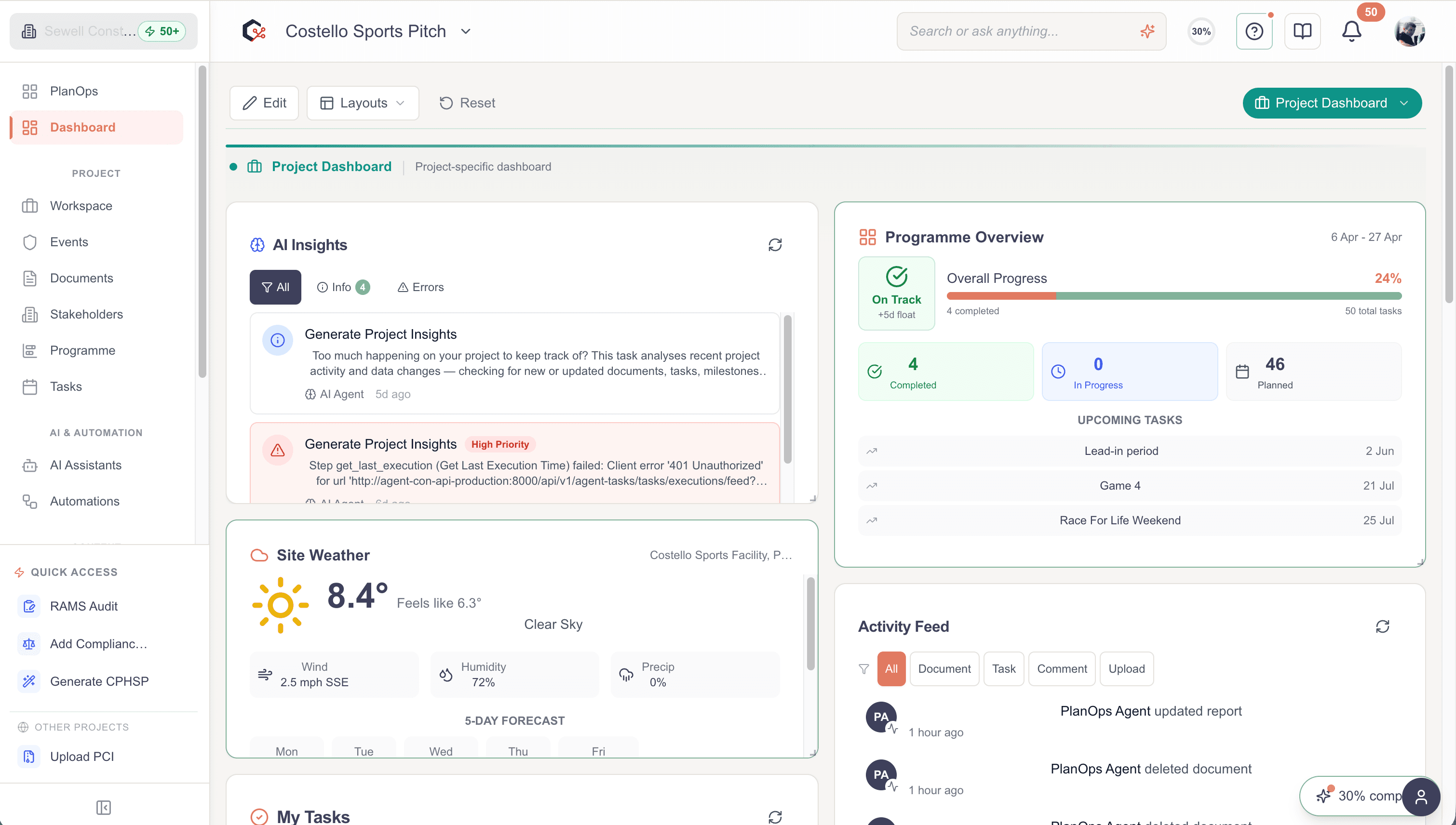
Project Dashboard

Central view of an active project with tasks, documents, and key metrics.

PlanOps Project Dashboard showing an active project with tasks, documents, and key metrics

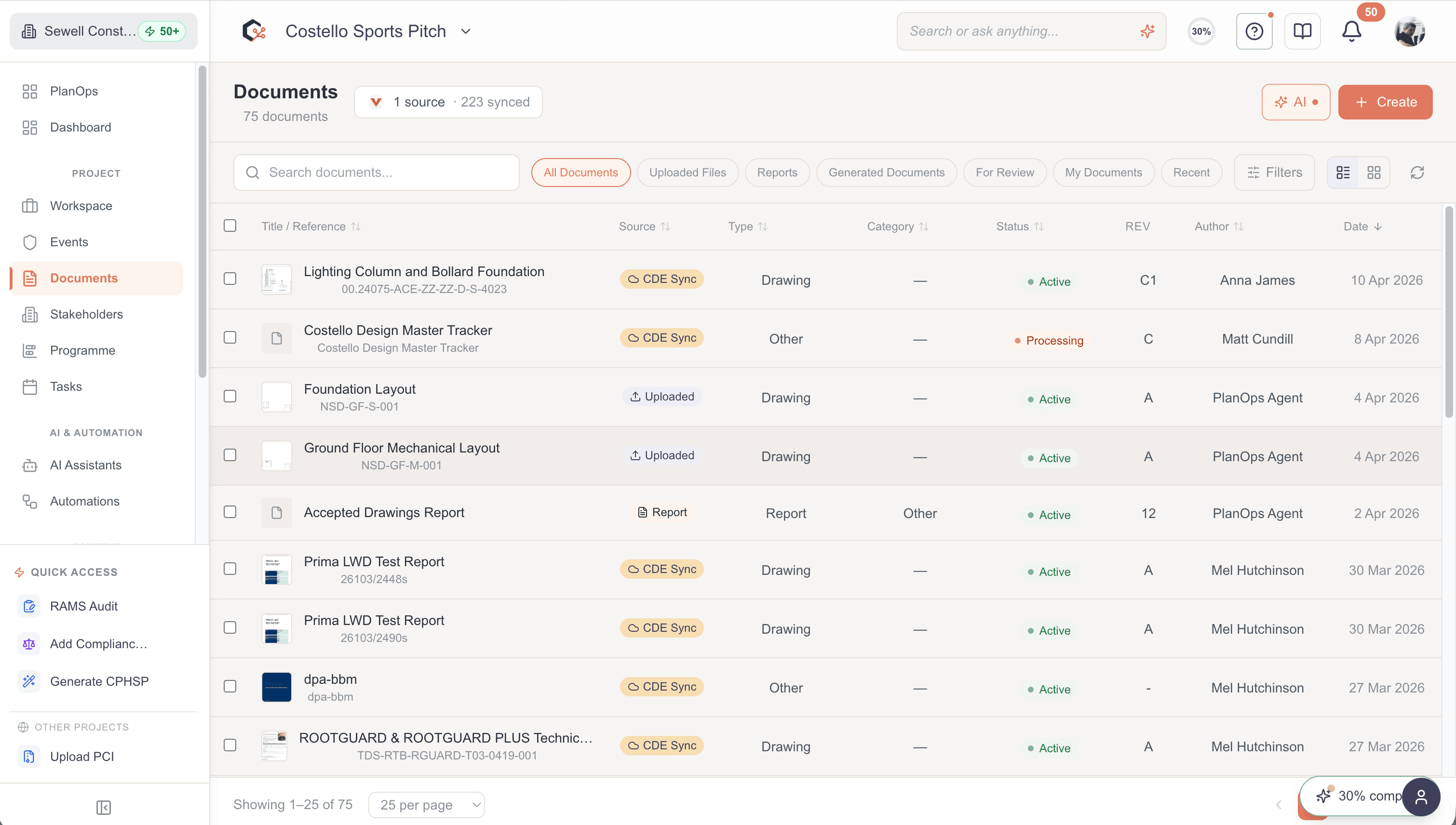
Document Intelligence

CDE integration that reads, extracts, and compares documents.

PlanOps Document Intelligence showing CDE integration, document reading, extraction, and comparison

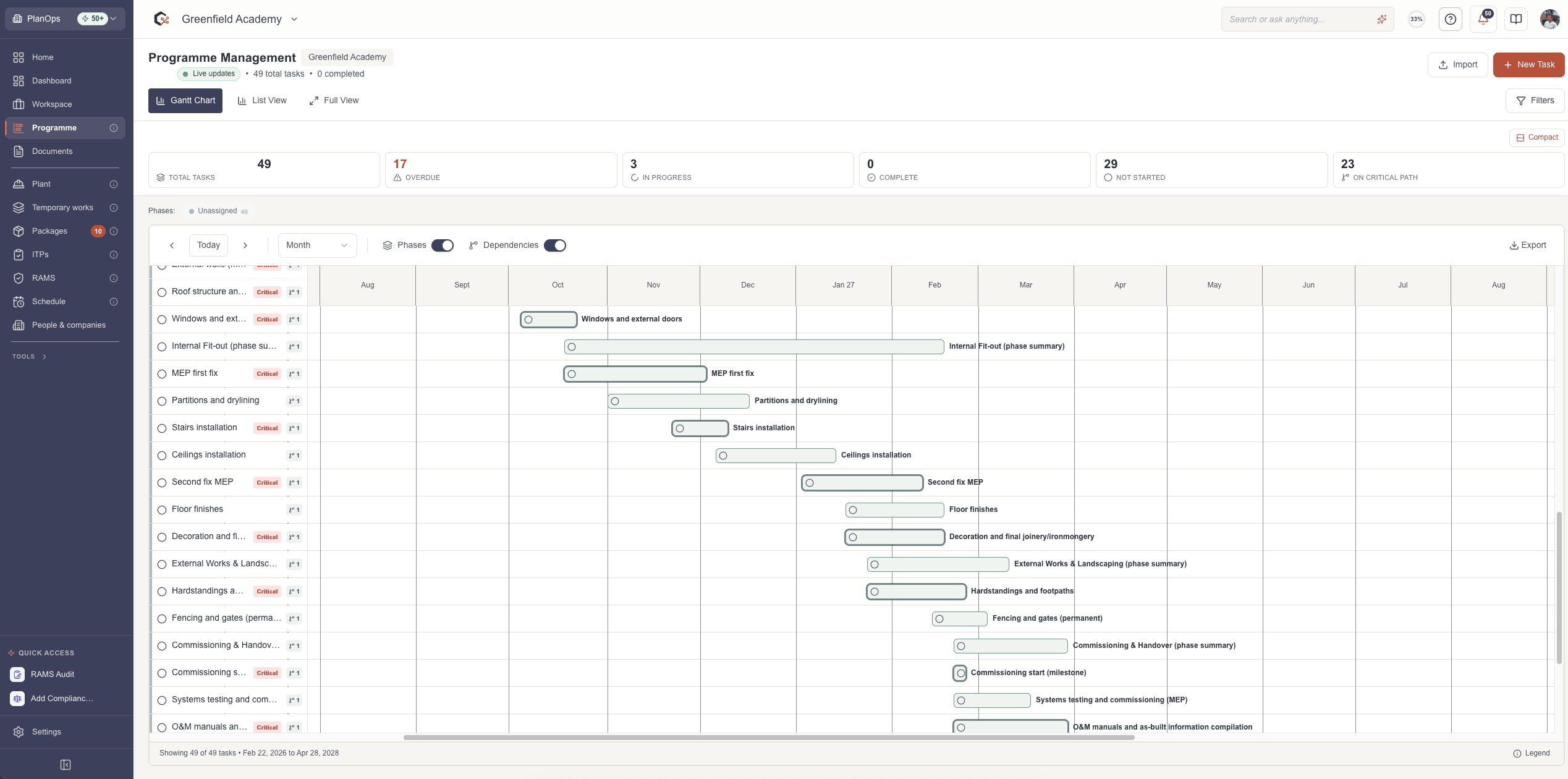
Programme Management

AI-powered Gantt charts that identify critical path impacts.

PlanOps Programme Management showing AI-powered Gantt charts with critical path analysis

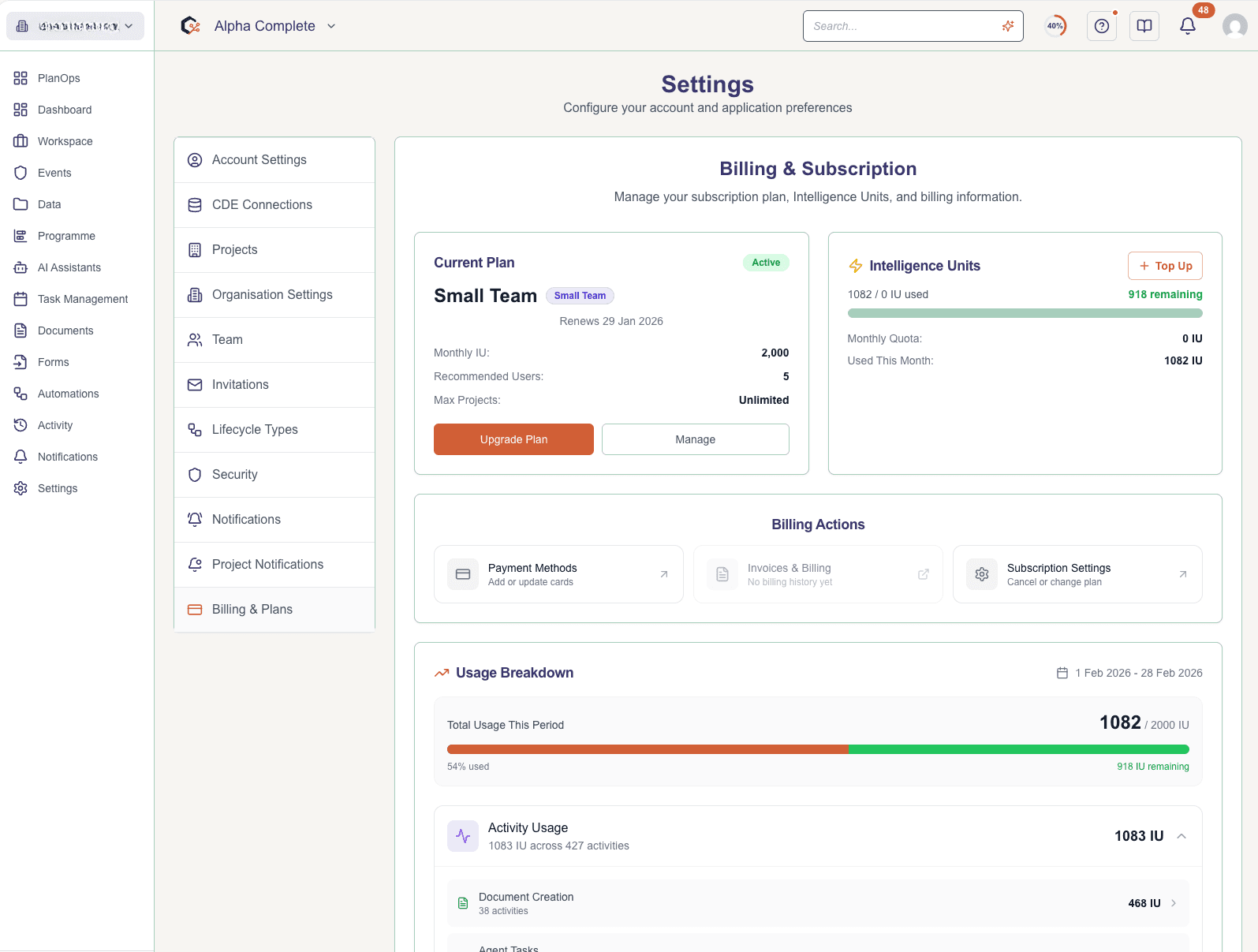
Usage Dashboard

Real-time visibility into IU consumption and ROI.

PlanOps Usage Dashboard showing real-time Intelligence Unit consumption and ROI metrics

Ready to see it in action?

Start for free with 50 IU. No credit card required.

Start free