Free RAMS tools

Find out what is missing from a RAMS before the work starts

Two things, both free and neither needing an account. Tick the packages on your job to see the RAMS coverage you should be holding, or upload one document and have it read against twenty published criteria in a few minutes.

  • 20 published criteria
  • Result in a few minutes
  • No account needed
  • Processed in the UK

This is an automated review of one document against a published 20-criterion standard. It has no sight of your site, your programme or the work itself, and it is not a substitute for review by a competent person.

Tick the packages on your job

Pick as many as apply. Nothing is sent anywhere - this runs in your browser.

Architectural
Civil
Decorating
Drylining
Electrical
Enabling
External
Facade
FF&E
Finishes
Groundworks
Highways
Joinery
Landscaping
MEP
Roofing
Specialist
Structural
Temporary
Utilities
Water

What it reads against

A published, versioned standard of twenty weighted criteria, applied the same way every time. The marks are made by the assessment; the result is arithmetic over those marks, so a given set of findings always produces the same number and every number can be explained line by line.

Weighted, not counted

Each criterion carries a weight, and what is deducted depends on how far short it falls and how serious the shortfall is. A missing signature and a missing rescue plan are not the same thing.

Capped by severity

One critical point left unaddressed caps the result regardless of how good the rest is. A strong document with a fatal hole is not a strong document.

Withheld, not guessed

If a criterion could not be assessed, no overall result is issued and the page says which ones were missed. A zero is never used to stand in for a gap in the reading.

How results are worded

Listed best first. The wording states what was found, not a grade.

  • No material gapsNothing was flagged against the 20 published criteria that would hold this document up at review.
  • Minor gapsThe substance is there. A reviewer would ask for detail on the points listed before accepting it.
  • Significant gapsSeveral criteria are only partly addressed. Expect this to come back for revision rather than be accepted as issued.
  • Serious gapsAt least one criterion the rubric treats as critical is not addressed. This document needs rework before it goes to a reviewer.
  • Not scoredNot every criterion could be assessed from this document, so no overall result is issued. The individual findings below still stand.

The bigger job

Assessing the document is one step out of six

A RAMS does not start as a document in your inbox. It starts as an activity on the programme that someone has to be asked to plan for, and it ends as an accepted record tied to the work it covers. Here is the whole run, with the part this page does marked.

  1. 1. Work out what needs one

    The programme and the work packages are screened against the risk triggers, so the RAMS you should be asking for is a list on the project rather than something held in someone’s head.

    See the workflow
  2. 2. Ask the subcontractor for it

    Each RAMS is raised against the package it covers, with the activity requirements it has to meet set out before anyone writes a word of it.

  3. 3. They submit it themselves

    Subcontractors upload their own RAMS against the package. It arrives on the project attached to the work it covers, not buried in a mailbox.

  4. 4. It gets assessed

    You are here

    Read against UK safety legislation, the project’s own health and safety documents, the programme, and the requirements of the specific package it covers.

    This page does this one step, on its own. It reads the document and nothing above it.

    See the workflow
  5. 5. You accept it or send it back

    A competent person accepts the RAMS or rejects it with the gaps attached. When the revision comes back, it is assessed against the version before it rather than from scratch.

  6. 6. It stays joined up

    The accepted RAMS stays linked to its work package and any temporary works it relies on, with the gaps on the risk register and the follow-up actions raised against someone.

The same twenty criteria. A great deal more to read them against.

A method statement is only right or wrong in relation to a particular job. On a project, the assessment has the job in front of it.

On this page

  • One document, read on its own
  • Twenty published criteria, applied the same way every time
  • A result and the list of points a reviewer would raise
  • No sight of your site, your programme or the work it covers

On a project

  • The same twenty criteria, plus your project’s own requirements
  • Read against the pre-construction plan, the programme and the package
  • Subcontractors submit their own RAMS against the package
  • Accept or reject, with the gaps sent back and the revision tracked
  • Gaps written to the risk register, actions raised against a name
  • Linked to the work package and its temporary works, ready for audit

What the project assessment reads that this page cannot

The project’s own safety documents

The pre-construction health and safety information, the construction phase plan and whatever else sets the rules on your site.

The programme

When the activity happens, how long it runs, and what else is going on around it.

The package of works

The specific scope the RAMS is meant to cover, and the activity requirements set against it.

Site and environmental constraints

Access, neighbours, permits, restrictions - the things that make a generic method statement wrong for your job.

The previous revision

Where a RAMS has been rejected before, the next version is read against what was asked for last time.

See it running

Watch the assessment do it on a real project

Two published workflows cover the RAMS run end to end - finding the activities that need one, and assessing what the subcontractor sends back. Play the demo to see the assessment write its result onto the RAMS record and link it to the package.

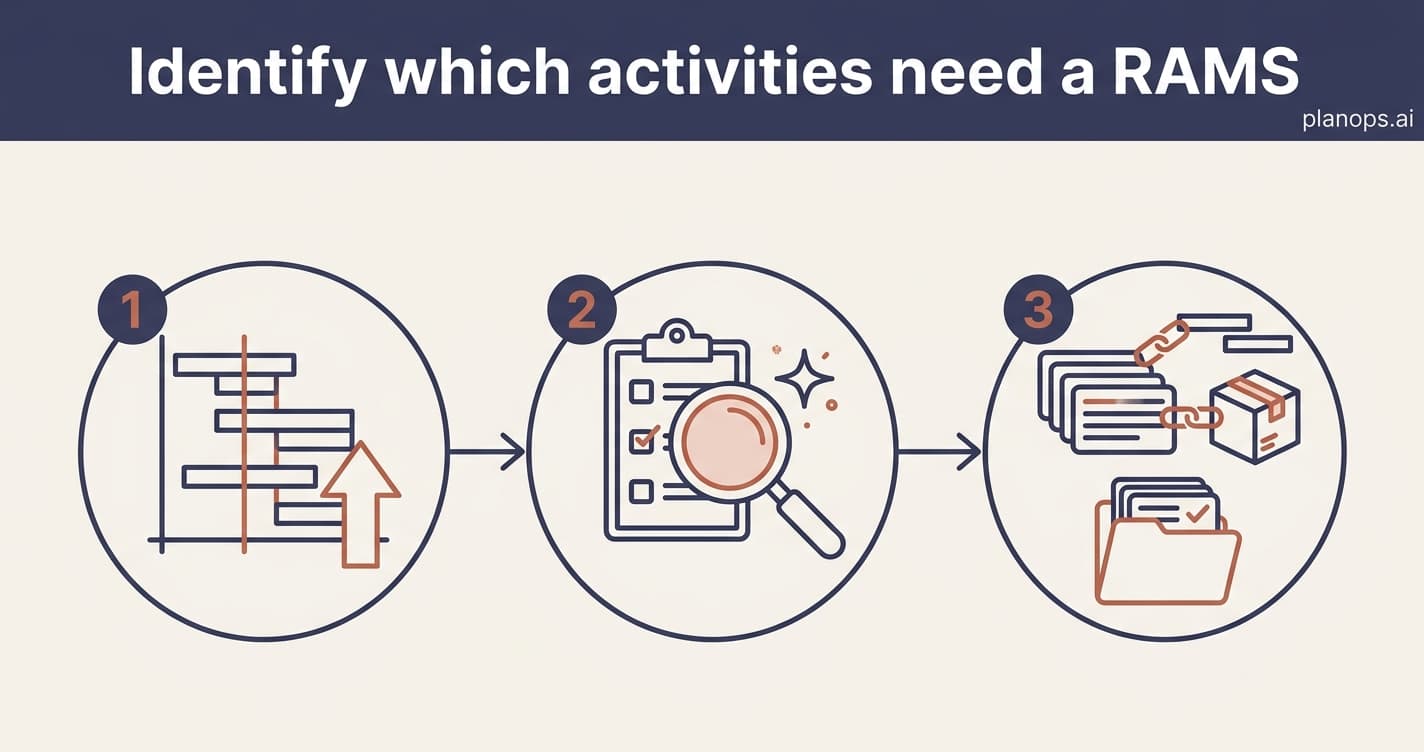
A deep-indigo workflow banner above three steps, from importing a programme to a set of RAMS records linked to activities and packages.
Compliance & Assurance~15 minutes

Identify which activities need a RAMS

Screen your programme and work packages to find the activities that need a Risk Assessment and Method Statement before work starts, so nothing high-risk slips through unplanned.

  1. 1Get your programme into the project
  2. Screen the programme for RAMS requirements
  3. 3Review the RAMS items that were raised

You end up with: A screened programme with a RAMS lifecycle item raised for every activity that needs one — work at height, lifting, excavations, temporary works and the rest — each linked to its programme activity and work package. You know what RAMS to call for before work starts, with a record you can defend at audit.

1 AI step

~15 minutes to run

See the workflow
Compliance & Assurance~10 minutes

Assess a RAMS and link it to its package

Check a subcontractor's Risk Assessment and Method Statement against UK safety law and your project requirements, with the result linked to a RAMS record and tied to the subcontractor's work package.

  1. Set up the project's packages
  2. 2Upload the subcontractor's RAMS
  3. Start the RAMS assessment
  4. 4Review the assessment details
  5. 5Access the created RAMS
  6. 6Link the RAMS to its package and temporary works

You end up with: A subcontractor's RAMS checked against UK safety legislation and your activity requirements, with the gaps flagged and follow-up actions raised. The outcome is held against a RAMS lifecycle item linked to its work package and any temporary works, so the assessment is traceable and ready to defend at audit.

4 IU per analysis

1 hour saved

See the workflow

The register check, and why nobody had one

Everyone holds a list of work packages and everyone holds a RAMS register. What almost nobody holds is the mapping between them - which risks a RAMS for a given package is expected to address - so “are we missing any?” has always been answered from memory.

We wrote that mapping down: 45 work packages against 10 risk categories, split into what a package must address and what depends on its scope. The check above is that mapping applied to your tick list, with the categories people routinely leave out flagged and the reason given.

45

work packages

From demolition to commissioning, each with its own scope.

10

risk categories

Work at height, lifting, confined spaces, temporary works and the rest.

2

tiers of mapping

What a package must address, and what depends on its scope.

On a project, that mapping is not a tick list you fill in - it comes off your programme and your packages, and every gap it finds becomes a RAMS record waiting on a subcontractor.

What happens to your document

A RAMS is a safety document with a company’s name on it. Here is exactly what this tool does with one.

Your file is never stored
The document you upload is read in memory to pull out its text, then discarded. It is never written to disk, never sent to storage, and never leaves this request.
Extracted text is deleted after 72 hours
The text pulled out of your document is held for 72 hours so your result link keeps working, then deleted automatically. After that the link stops resolving.
The review is kept; the document text is not
Deleting the text does not delete the review. The result, the criterion marks and the record of the run are kept as our own audit trail of what this tool did - without the document text they were drawn from.
Nothing you submit trains a model
Your document is used to produce your result and nothing else. It is not added to a training set, and it is not used to improve any model.
Processed in the UK
Submissions are processed and short-term stored on UK infrastructure.
No account, no sales call
You do not need an account to run a review. An email address is optional: give one and we will send your result link, leave it out and the link stays in your browser.

More detail in our privacy commitments and security overview.

Why it works the way it does

Questions

What does the review actually check?
Twenty criteria covering the risk assessment, the method statement, the activity-specific controls, the legislative duties and the site context. Each is marked as addressed, partly addressed or not addressed, with a severity, and the overall result is arithmetic over those marks - not a separate opinion.
Is this a substitute for reviewing the RAMS myself?
No. It reads one document with no sight of your site, your programme or the work. It is a first pass that catches the things that are simply absent, so a competent person spends their time on the things that need judgement.
What happens to my document?
The file is read in memory to pull out its text and is then discarded - it is never stored. The extracted text is held for 72 hours so your result link keeps working, then deleted automatically. The review itself - the result and the criterion marks - is kept as our record of what the tool did, without the text behind it. Nothing you submit is used to train a model, and processing happens in the UK.
What if the document is not a RAMS?
It is refused rather than scored. A COSHH sheet or a construction phase plan is readable, so an assessment that graded whatever it was given would return a confident and wrong result. The document type is confirmed before anything is scored.
How is this different from the assessment inside PlanOps?
This page reads one document against the twenty criteria and nothing else. On a project, the same assessment also reads your pre-construction health and safety information, the programme and the requirements set against the specific work package - subcontractors submit their own RAMS against that package, you accept or reject it, revisions are read against the version before them, and the gaps go to the risk register as actions raised against a name.
Do I need an account?
No. The review and the register check both run without one. An account gets you the written review, the follow-up actions against each point, and the same assessment across a whole subcontractor register.
Why is it free?
Because it is the honest way to show what the assessment does. It is capped at a number of reviews a day to keep it that way; when the cap is reached the page says so and takes your email instead.
One RAMS is a demo. A register is the job.

On a project, the same assessment reads every subcontractor RAMS against your pre-construction plan, your programme and the package it covers. Subcontractors submit their own, you accept or send them back, and the gaps land on your risk register as actions with a name against them.

Start free